


Learn at Your Own Pace
Walkthroughs, guides, and recorded sessions built for Tribal grant staff. Whether you are new to TFR or looking to go deeper, these resources are here when you need them. No login required.
Getting Started
New to the Tribal Funding Registry? Start here. This walkthroughs will help you create your account, navigate the platform, and run your first funding search.
Features
See what we have added recently. Each video covers a new tool or update so you can put it to use right away.
Walk Through: Creating your first account
Follow these steps if you have not registered before




Select Sign Up
Open the TFR and choose the Sign Up tab. Enter your email and select Sign up. Review the Terms of Use and Privacy Policy linked there.
Add your profile
Enter your full name. Organization name and website are optional.
Create your password
Use at least 10 characters, including a letter and a number. Save it somewhere you can find it again.
Verify your email
Enter the six-digit code from your email within 15 minutes. Check spam or select Resend when available if it has not arrived.



Choose your preferences
Choose whether to use Aiyana, the natural language guide, and whether to receive updates and the newsletter.
Tell us about your work
Select the Tribal Nation, organization, or individual categories that fit. Select all that apply, or add your own. We do not share this information.
Choose your funding interests
Select the topics that matter to your work, then select Get Started. We don’t use this information to narrow your search. It helps the TFR add new grant opportunities to the registry.
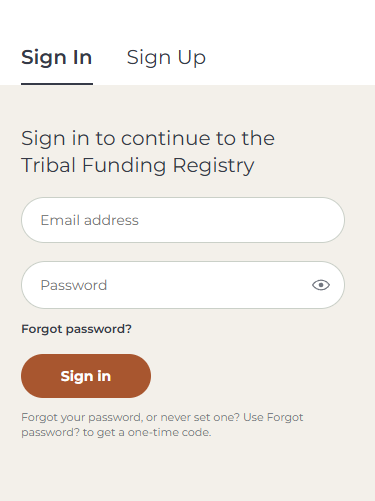
Forgot your password - or never set one?
Select Sign in, then Forgot password
Follow the prompts to request a one-time code at your account email address
Check your email and follow the instructions to continue.
_____________________________________________________________________________________
Codes expire after 15 minutes. Check your spam or junk folder if the email is missing. If a code expires, follow the prompts to request a new one.